

Checking Folder and File Paths
單元大綱
-
-
How to check the path
・ Start the viewfinder.
・ At the track point, select the folder or file whose path you want to know.
・ If you press the [【opition】key] while clicking [Edit] on the viewfinder menu bar, the "Copy Pathname of Selected Folder" option appears. Select and paste it into the text editing software (Mi or memo).
Example)
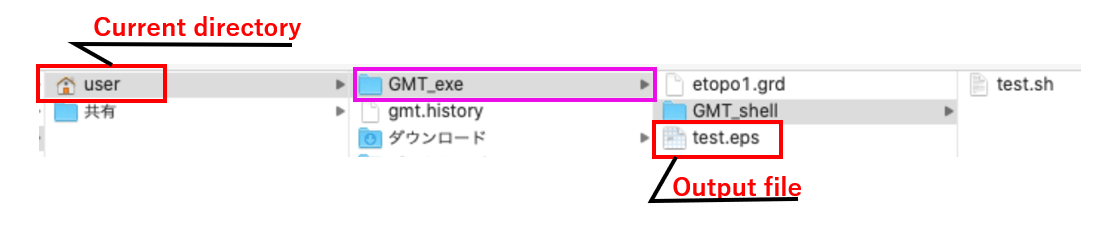
The path of the above GMT_shell folders is/Users/user/GMT_exe/GMT_shell.
The path to the file (test.sh) in that folder could be/Users/user/GMT_exe/GMT_shell /.sh, and so on.
※ The path to the folder looks like the one shown above, but to set the path to the folder with the GMT statement, ". /GMT_exe/~" indicates the current Users/user as a period (see below).
-