

Mac -Check the path and current directory
單元大綱
-
-
How to check the path
・ Start the viewfinder.
・ At the track point, select the folder or file whose path you want to know.
・ If you press the [【opition】key] while clicking [Edit] on the viewfinder menu bar, the "Copy Pathname of Selected Folder" option appears. Select and paste it into the text editing software (Mi or memo).
Example)
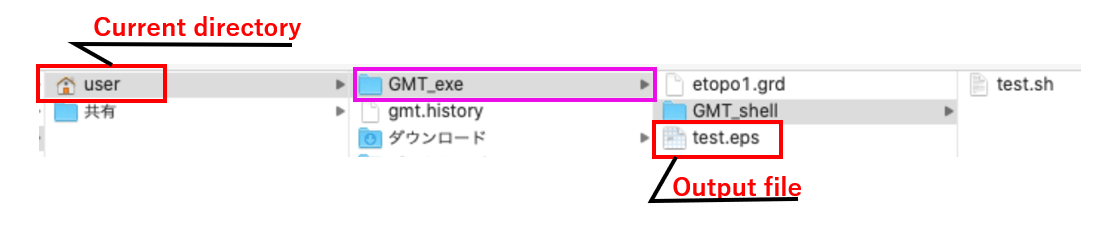
The path of the above GMT_shell folders is/Users/user/GMT_exe/GMT_shell.
The path to the file (test.sh) in that folder could be/Users/user/GMT_exe/GMT_shell /.sh, and so on.
※ The path to the folder looks like the one shown above, but to set the path to the folder with the GMT statement, ". /GMT_exe/~" indicates the current Users/user as a period (see below).
-
-
-
The following sentence is a statement (Shell script file) for executing GMTs.
At the end of the statement (red frame), there is an instruction to export the "test.eps" file to the "GMT_exe" folder.
This folder path is ". It is written as /GMT_exe/. Where is the "GMT_exe" folder stored?
Just before GMT_exe,. (period) specifies the current directories.the current directory is specified.

This instruction was executed.
The export file (output file) is saved in the GMT_exe folder under the user folder, as shown in the following Finder window.
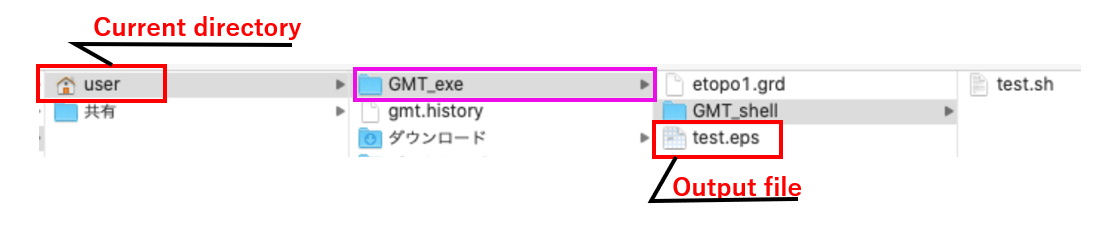
At this time, the Current directory of the terminal that started GMT was set to "user", so the export file was saved in the "GMT_exe" folder under it.
Now you know how to check and change the Current directory of the terminals.
When GMT is started, the following terminal is started.
Enter "pwd" in the terminal and press "enter" key. The Current directory is displayed.
/ Users/user is displayed. This is the current directory that was set when GMT was installed.
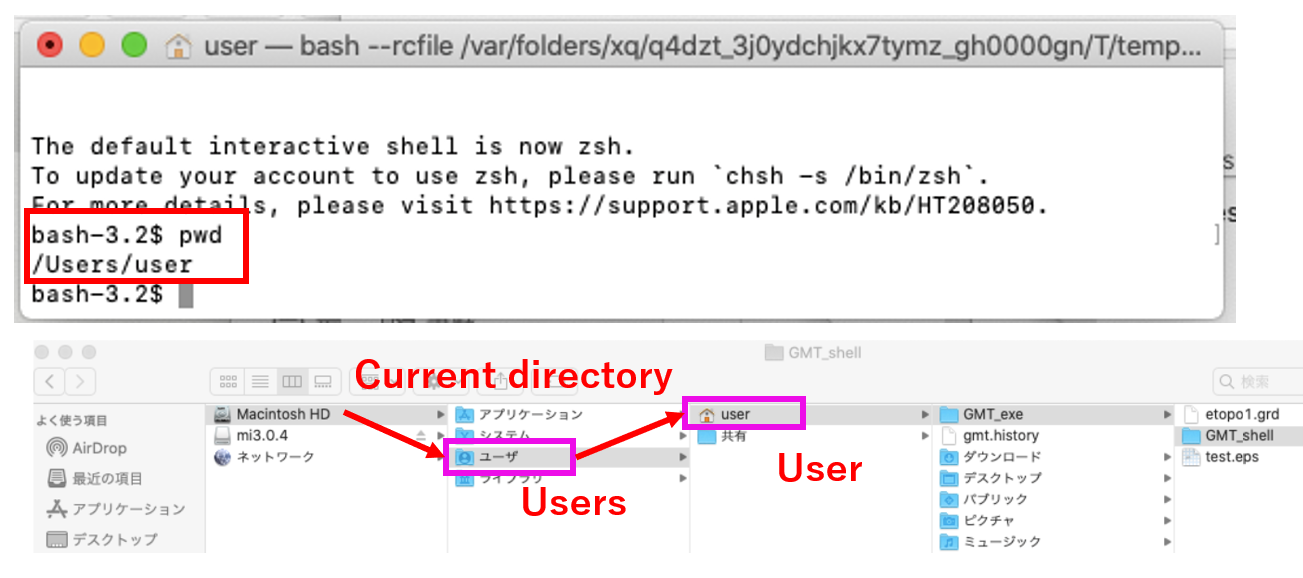
Therefore, if you place the GMT working folder directly below the current directory, the path to the working folder is: /GMT_exe/ is useful.
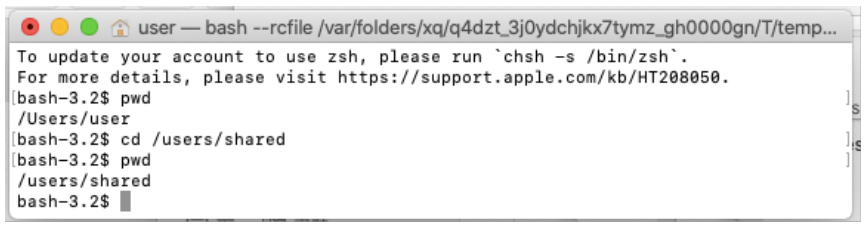
If you want to move the current directory at the terminals,
cd /users/shared
If you enter like this, it will be moved to the shared folder (shared) under the user (users).
-